The QGraphicsView 類提供用於顯示內容的 Widget 為 QGraphicsScene . 更多...
| 頭: | #include <QGraphicsView> |
| qmake: | QT += widgets |
| Since: | Qt 4.2 |
| 繼承: | QAbstractScrollArea |
| flags | CacheMode |
| enum | CacheModeFlag { CacheNone, CacheBackground } |
| enum | DragMode { NoDrag, ScrollHandDrag, RubberBandDrag } |
| enum | OptimizationFlag { DontClipPainter, DontSavePainterState, DontAdjustForAntialiasing, IndirectPainting } |
| flags | OptimizationFlags |
| enum | ViewportAnchor { NoAnchor, AnchorViewCenter, AnchorUnderMouse } |
| enum | ViewportUpdateMode { FullViewportUpdate, MinimalViewportUpdate, SmartViewportUpdate, BoundingRectViewportUpdate, NoViewportUpdate } |
|
|
| QGraphicsView (QWidget * parent = nullptr) | |
| QGraphicsView (QGraphicsScene * scene , QWidget * parent = nullptr) | |
| virtual | ~QGraphicsView () |
| Qt::Alignment | alignment () const |
| QBrush | backgroundBrush () const |
| QGraphicsView::CacheMode | cacheMode () const |
| void | centerOn (const QPointF & pos ) |
| void | centerOn (qreal x , qreal y ) |
| void | centerOn (const QGraphicsItem * item ) |
| QGraphicsView::DragMode | dragMode () const |
| void | ensureVisible (const QRectF & rect , int xmargin = 50, int ymargin = 50) |
| void | ensureVisible (qreal x , qreal y , qreal w , qreal h , int xmargin = 50, int ymargin = 50) |
| void | ensureVisible (const QGraphicsItem * item , int xmargin = 50, int ymargin = 50) |
| void | fitInView (const QRectF & rect , Qt::AspectRatioMode aspectRatioMode = Qt::IgnoreAspectRatio) |
| void | fitInView (qreal x , qreal y , qreal w , qreal h , Qt::AspectRatioMode aspectRatioMode = ...) |
| void | fitInView (const QGraphicsItem * item , Qt::AspectRatioMode aspectRatioMode = Qt::IgnoreAspectRatio) |
| QBrush | foregroundBrush () const |
| bool | isInteractive () const |
| bool | isTransformed () const |
| QGraphicsItem * | itemAt (const QPoint & pos ) const |
| QGraphicsItem * | itemAt (int x , int y ) const |
| QList<QGraphicsItem *> | items () const |
| QList<QGraphicsItem *> | items (const QPoint & pos ) const |
| QList<QGraphicsItem *> | items (int x , int y ) const |
| QList<QGraphicsItem *> | items (const QRect & rect , Qt::ItemSelectionMode mode = Qt::IntersectsItemShape) const |
| QList<QGraphicsItem *> | items (int x , int y , int w , int h , Qt::ItemSelectionMode mode = Qt::IntersectsItemShape) const |
| QList<QGraphicsItem *> | items (const QPolygon & polygon , Qt::ItemSelectionMode mode = Qt::IntersectsItemShape) const |
| QList<QGraphicsItem *> | items (const QPainterPath & path , Qt::ItemSelectionMode mode = Qt::IntersectsItemShape) const |
| QPoint | mapFromScene (const QPointF & point ) const |
| QPolygon | mapFromScene (const QRectF & rect ) const |
| QPolygon | mapFromScene (const QPolygonF & polygon ) const |
| QPainterPath | mapFromScene (const QPainterPath & path ) const |
| QPoint | mapFromScene (qreal x , qreal y ) const |
| QPolygon | mapFromScene (qreal x , qreal y , qreal w , qreal h ) const |
| QPointF | mapToScene (const QPoint & point ) const |
| QPolygonF | mapToScene (const QRect & rect ) const |
| QPolygonF | mapToScene (const QPolygon & polygon ) const |
| QPainterPath | mapToScene (const QPainterPath & path ) const |
| QPointF | mapToScene (int x , int y ) const |
| QPolygonF | mapToScene (int x , int y , int w , int h ) const |
| QMatrix | matrix () const |
| QGraphicsView::OptimizationFlags | optimizationFlags () const |
| void | render (QPainter * painter , const QRectF & target = QRectF(), const QRect & source = QRect(), Qt::AspectRatioMode aspectRatioMode = Qt::KeepAspectRatio) |
| QPainter::RenderHints | renderHints () const |
| void | resetCachedContent () |
| void | resetMatrix () |
| void | resetTransform () |
| QGraphicsView::ViewportAnchor | resizeAnchor () const |
| void | rotate (qreal angle ) |
| QRect | rubberBandRect () const |
| Qt::ItemSelectionMode | rubberBandSelectionMode () const |
| void | scale (qreal sx , qreal sy ) |
| QGraphicsScene * | scene () const |
| QRectF | sceneRect () const |
| void | setAlignment (Qt::Alignment alignment ) |
| void | setBackgroundBrush (const QBrush & brush ) |
| void | setCacheMode (QGraphicsView::CacheMode mode ) |
| void | setDragMode (QGraphicsView::DragMode mode ) |
| void | setForegroundBrush (const QBrush & brush ) |
| void | setInteractive (bool allowed ) |
| void | setMatrix (const QMatrix & matrix , bool combine = false) |
| void | setOptimizationFlag (QGraphicsView::OptimizationFlag flag , bool enabled = true) |
| void | setOptimizationFlags (QGraphicsView::OptimizationFlags flags ) |
| void | setRenderHint (QPainter::RenderHint hint , bool enabled = true) |
| void | setRenderHints (QPainter::RenderHints hints ) |
| void | setResizeAnchor (QGraphicsView::ViewportAnchor anchor ) |
| void | setRubberBandSelectionMode (Qt::ItemSelectionMode mode ) |
| void | setScene (QGraphicsScene * scene ) |
| void | setSceneRect (const QRectF & rect ) |
| void | setSceneRect (qreal x , qreal y , qreal w , qreal h ) |
| void | setTransform (const QTransform & matrix , bool combine = false) |
| void | setTransformationAnchor (QGraphicsView::ViewportAnchor anchor ) |
| void | setViewportUpdateMode (QGraphicsView::ViewportUpdateMode mode ) |
| void | shear (qreal sh , qreal sv ) |
| QTransform | transform () const |
| QGraphicsView::ViewportAnchor | transformationAnchor () const |
| void | translate (qreal dx , qreal dy ) |
| QTransform | viewportTransform () const |
| QGraphicsView::ViewportUpdateMode | viewportUpdateMode () const |
| virtual QVariant | inputMethodQuery (Qt::InputMethodQuery query ) const override |
| virtual QSize | sizeHint () const override |
| void | invalidateScene (const QRectF & rect = QRectF(), QGraphicsScene::SceneLayers layers = QGraphicsScene::AllLayers) |
| void | updateScene (const QList<QRectF> & rects ) |
| void | updateSceneRect (const QRectF & rect ) |
| void | rubberBandChanged (QRect rubberBandRect , QPointF fromScenePoint , QPointF toScenePoint ) |
| const QMetaObject | staticMetaObject |
| virtual void | drawBackground (QPainter * painter , const QRectF & rect ) |
| virtual void | drawForeground (QPainter * painter , const QRectF & rect ) |
| virtual void | contextMenuEvent (QContextMenuEvent * event ) override |
| virtual void | dragEnterEvent (QDragEnterEvent * event ) override |
| virtual void | dragLeaveEvent (QDragLeaveEvent * event ) override |
| virtual void | dragMoveEvent (QDragMoveEvent * event ) override |
| virtual void | dropEvent (QDropEvent * event ) override |
| virtual bool | event (QEvent * event ) override |
| virtual void | focusInEvent (QFocusEvent * event ) override |
| virtual bool | focusNextPrevChild (bool next ) override |
| virtual void | focusOutEvent (QFocusEvent * event ) override |
| virtual void | inputMethodEvent (QInputMethodEvent * event ) override |
| virtual void | keyPressEvent (QKeyEvent * event ) override |
| virtual void | keyReleaseEvent (QKeyEvent * event ) override |
| virtual void | mouseDoubleClickEvent (QMouseEvent * event ) override |
| virtual void | mouseMoveEvent (QMouseEvent * event ) override |
| virtual void | mousePressEvent (QMouseEvent * event ) override |
| virtual void | mouseReleaseEvent (QMouseEvent * event ) override |
| virtual void | paintEvent (QPaintEvent * event ) override |
| virtual void | resizeEvent (QResizeEvent * event ) override |
| virtual void | scrollContentsBy (int dx , int dy ) override |
| virtual void | showEvent (QShowEvent * event ) override |
| virtual bool | viewportEvent (QEvent * event ) override |
| virtual void | wheelEvent (QWheelEvent * event ) override |
| virtual void | setupViewport (QWidget * widget ) override |
The QGraphicsView 類提供用於顯示內容的 Widget 為 QGraphicsScene .
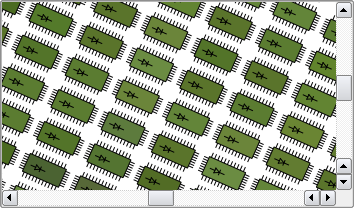
QGraphicsView 可視化內容為 QGraphicsScene 在可捲動視口。要創建帶幾何項的場景,見 QGraphicsScene 的文檔編製。 QGraphicsView 屬於 圖形視圖框架 .
要可視化場景,開始從構造 QGraphicsView 對象,將想要可視化的場景地址傳遞給 QGraphicsView 構造函數。另外,可以調用 setScene () 稍後設置場景。之後調用 show (),默認情況下,視圖將捲動到場景中心並顯示此時可見的任何項。例如:
QGraphicsScene scene;
scene.addText("Hello, world!");
QGraphicsView view(&scene);
view.show();
可以明確捲動到場景中的任何位置通過使用滾動條,或通過調用 centerOn ()。通過將點傳遞給 centerOn (), QGraphicsView will scroll its viewport to ensure that the point is centered in the view. An overload is provided for scrolling to a QGraphicsItem ,在這種情況下 QGraphicsView will see to that the center of the item is centered in the view. If all you want is to ensure that a certain area is visible, (but not necessarily centered,) you can call ensureVisible () 代替。
QGraphicsView can be used to visualize a whole scene, or only parts of it. The visualized area is by default detected automatically when the view is displayed for the first time (by calling QGraphicsScene::itemsBoundingRect ())。要自己設置可視化區域矩形,可以調用 setSceneRect ()。這將適當調節滾動條範圍。注意:盡管場景支持幾乎無限大小,但滾動條範圍從不超過整數 (INT_MIN,INT_MAX) 範圍。
QGraphicsView visualizes the scene by calling render ()。默認情況下,項被繪製到視口通過使用常規 QPainter , and using default render hints. To change the default render hints that QGraphicsView passes to QPainter 當描繪項時,可以調用 setRenderHints ().
默認情況下, QGraphicsView 提供常規 QWidget 為視口 Widget。可以訪問此 Widget 通過調用 viewport (),或者可以替換它通過調用 setViewport (). To render using OpenGL, simply call setViewport (new QGLWidget). QGraphicsView takes ownership of the viewport widget.
QGraphicsView supports affine transformations, using QTransform 。可以將矩陣傳遞給 setTransform (),或者可以調用某一方便函數 rotate (), scale (), translate () 或 shear (). The most two common transformations are scaling, which is used to implement zooming, and rotation. QGraphicsView keeps the center of the view fixed during a transformation. Because of the scene alignment (setAligment()), translating the view will have no visual impact.
You can interact with the items on the scene by using the mouse and keyboard. QGraphicsView translates the mouse and key events into scene 事件 (事件繼承自 QGraphicsSceneEvent ,), and forward them to the visualized scene. In the end, it's the individual item that handles the events and reacts to them. For example, if you click on a selectable item, the item will typically let the scene know that it has been selected, and it will also redraw itself to display a selection rectangle. Similiary, if you click and drag the mouse to move a movable item, it's the item that handles the mouse moves and moves itself. Item interaction is enabled by default, and you can toggle it by calling setInteractive ().
You can also provide your own custom scene interaction, by creating a subclass of QGraphicsView , and reimplementing the mouse and key event handlers. To simplify how you programmatically interact with items in the view, QGraphicsView provides the mapping functions mapToScene () 和 mapFromScene (),和項訪問器 items () 和 itemAt ()。這些函數允許在視圖坐標和場景坐標之間映射點、矩形、多邊形及路徑,並使用視圖坐標在場景中查找項。
另請參閱 QGraphicsScene , QGraphicsItem ,和 QGraphicsSceneEvent .
此枚舉描述可以設置的標誌為 QGraphicsView 的緩存模式。
| 常量 | 值 | 描述 |
|---|---|---|
QGraphicsView::CacheNone
|
0x0
|
所有描繪直接在視口中完成。 |
QGraphicsView::CacheBackground
|
0x1
|
The background is cached. This affects both custom backgrounds, and backgrounds based on the backgroundBrush property. When this flag is enabled, QGraphicsView will allocate one pixmap with the full size of the viewport. |
CacheMode 類型是 typedef 對於 QFlags <CacheModeFlag>。它存儲 CacheModeFlag 值的 OR 組閤。
另請參閱 cacheMode .
此枚舉描述視圖的默認動作,在視口中按下並拖拽鼠標時。
| 常量 | 值 | 描述 |
|---|---|---|
QGraphicsView::NoDrag
|
0
|
什麼都不發生;鼠標事件被忽略。 |
QGraphicsView::ScrollHandDrag
|
1
|
光標變成指嚮手,四處拖拽鼠標將捲動滾動條。此模式工作於 interactive 和非交互模式。 |
QGraphicsView::RubberBandDrag
|
2
|
將齣現橡皮筋。拖拽鼠標將設置橡皮筋幾何體,並選中橡皮筋涵蓋的所有項。非交互式視圖禁用此模式。 |
另請參閱 dragMode and QGraphicsScene::setSelectionArea ().
This enum describes flags that you can enable to improve rendering performance in QGraphicsView . By default, none of these flags are set. Note that setting a flag usually imposes a side effect, and this effect can vary between paint devices and platforms.
| 常量 | 值 | 描述 |
|---|---|---|
QGraphicsView::DontClipPainter
|
0x1
|
此值已過時且不起作用。 |
QGraphicsView::DontSavePainterState
|
0x2
|
當渲染時, QGraphicsView protects the painter state (see QPainter::save ()) when rendering the background or foreground, and when rendering each item. This allows you to leave the painter in an altered state (i.e., you can call QPainter::setPen () 或 QPainter::setBrush () without restoring the state after painting). However, if the items consistently do restore the state, you should enable this flag to prevent QGraphicsView from doing the same. |
QGraphicsView::DontAdjustForAntialiasing
|
0x4
|
Disables QGraphicsView 's antialiasing auto-adjustment of exposed areas. Items that render antialiased lines on the boundaries of their QGraphicsItem::boundingRect () can end up rendering parts of the line outside. To prevent rendering artifacts, QGraphicsView expands all exposed regions by 2 pixels in all directions. If you enable this flag, QGraphicsView will no longer perform these adjustments, minimizing the areas that require redrawing, which improves performance. A common side effect is that items that do draw with antialiasing can leave painting traces behind on the scene as they are moved. |
QGraphicsView::IndirectPainting
|
0x8
|
Since Qt 4.6, restore the old painting algorithm that calls QGraphicsView::drawItems() and QGraphicsScene::drawItems(). To be used only for compatibility with old code. |
該枚舉在 Qt 4.3 引入或被修改。
OptimizationFlags 類型是 typedef 對於 QFlags <OptimizationFlag>。它存儲 OptimizationFlag 值的 OR 組閤。
此枚舉描述可能的錨點 QGraphicsView 可以使用,當用戶重置視圖大小 (或變換視圖) 時。
| 常量 | 值 | 描述 |
|---|---|---|
QGraphicsView::NoAnchor
|
0
|
無錨點 (即:視圖使場景的位置保持不變)。 |
QGraphicsView::AnchorViewCenter
|
1
|
視圖中心的場景點用作錨點。 |
QGraphicsView::AnchorUnderMouse
|
2
|
鼠標下點用作錨點。 |
另請參閱 resizeAnchor and transformationAnchor .
此枚舉描述如何 QGraphicsView 更新其視口,當場景內容改變 (或暴露) 時。
| 常量 | 值 | 描述 |
|---|---|---|
QGraphicsView::FullViewportUpdate
|
0
|
When any visible part of the scene changes or is reexposed, QGraphicsView will update the entire viewport. This approach is fastest when QGraphicsView spends more time figuring out what to draw than it would spend drawing (e.g., when very many small items are repeatedly updated). This is the preferred update mode for viewports that do not support partial updates, such as QGLWidget, and for viewports that need to disable scroll optimization. |
QGraphicsView::MinimalViewportUpdate
|
1
|
QGraphicsView will determine the minimal viewport region that requires a redraw, minimizing the time spent drawing by avoiding a redraw of areas that have not changed. This is QGraphicsView 's default mode. Although this approach provides the best performance in general, if there are many small visible changes on the scene, QGraphicsView might end up spending more time finding the minimal approach than it will spend drawing. |
QGraphicsView::SmartViewportUpdate
|
2
|
QGraphicsView will attempt to find an optimal update mode by analyzing the areas that require a redraw. |
QGraphicsView::BoundingRectViewportUpdate
|
4
|
The bounding rectangle of all changes in the viewport will be redrawn. This mode has the advantage that QGraphicsView searches only one region for changes, minimizing time spent determining what needs redrawing. The disadvantage is that areas that have not changed also need to be redrawn. |
QGraphicsView::NoViewportUpdate
|
3
|
QGraphicsView will never update its viewport when the scene changes; the user is expected to control all updates. This mode disables all (potentially slow) item visibility testing in QGraphicsView , and is suitable for scenes that either require a fixed frame rate, or where the viewport is otherwise updated externally. |
該枚舉在 Qt 4.3 引入或被修改。
另請參閱 viewportUpdateMode .
This property holds the alignment of the scene in the view when the whole scene is visible.
If the whole scene is visible in the view, (i.e., there are no visible scroll bars,) the view's alignment will decide where the scene will be rendered in the view. For example, if the alignment is Qt::AlignCenter , which is default, the scene will be centered in the view, and if the alignment is ( Qt::AlignLeft | Qt::AlignTop ), the scene will be rendered in the top-left corner of the view.
訪問函數:
| Qt::Alignment | alignment () const |
| void | setAlignment (Qt::Alignment alignment ) |
此特性保持場景的背景畫筆。
此特性設置在此視圖中的場景背景筆刷。用於覆蓋場景的自身背景,並定義行為為 drawBackground ()。要為此視圖提供自定義背景繪圖,可以重實現 drawBackground () 代替。
默認情況下,此特性包含的筆刷帶有 Qt::NoBrush 模式。
訪問函數:
| QBrush | backgroundBrush () const |
| void | setBackgroundBrush (const QBrush & brush ) |
另請參閱 QGraphicsScene::backgroundBrush and foregroundBrush .
此特性保持被緩存視圖的哪些部分
QGraphicsView can cache pre-rendered content in a QPixmap , which is then drawn onto the viewport. The purpose of such caching is to speed up the total rendering time for areas that are slow to render. Texture, gradient and alpha blended backgrounds, for example, can be notibly slow to render; especially with a transformed view. The CacheBackground flag enables caching of the view's background. For example:
QGraphicsView view;
view.setBackgroundBrush(QImage(":/images/backgroundtile.png"));
view.setCacheMode(QGraphicsView::CacheBackground);
The cache is invalidated every time the view is transformed. However, when scrolling, only partial invalidation is required.
By default, nothing is cached.
訪問函數:
| QGraphicsView::CacheMode | cacheMode () const |
| void | setCacheMode (QGraphicsView::CacheMode mode ) |
另請參閱 resetCachedContent () 和 QPixmapCache .
此特性保持在場景中拖拽鼠標的行為,當按下鼠標左鍵時。
此特性定義應發生什麼,當用戶點擊場景背景並拖拽鼠標時 (如:采用指嚮手光標捲動視口內容,或采用橡皮筋選擇多個項)。默認值 NoDrag ,什麼都不做。
此行為僅影響未被任何項所處理的鼠標點擊。可以定義自定義行為通過創建子類化的 QGraphicsView 並重實現 mouseMoveEvent ().
訪問函數:
| QGraphicsView::DragMode | dragMode () const |
| void | setDragMode (QGraphicsView::DragMode mode ) |
此特性保持場景的前景筆刷。
This property sets the foreground brush for the scene in this view. It is used to override the scene's own foreground, and defines the behavior of drawForeground (). To provide custom foreground drawing for this view, you can reimplement drawForeground () 代替。
默認情況下,此特性包含的筆刷帶有 Qt::NoBrush 模式。
訪問函數:
| QBrush | foregroundBrush () const |
| void | setForegroundBrush (const QBrush & brush ) |
另請參閱 QGraphicsScene::foregroundBrush and backgroundBrush .
此特性保持視圖是否允許場景交互。
If enabled, this view is set to allow scene interaction. Otherwise, this view will not allow interaction, and any mouse or key events are ignored (i.e., it will act as a read-only view).
默認情況下,此特性為
true
.
訪問函數:
| bool | isInteractive () const |
| void | setInteractive (bool allowed ) |
標誌可以用於微調 QGraphicsView 的性能。
QGraphicsView uses clipping, extra bounding rect adjustments, and certain other aids to improve rendering quality and performance for the common case graphics scene. However, depending on the target platform, the scene, and the viewport in use, some of these operations can degrade performance.
The effect varies from flag to flag; see the OptimizationFlags 文檔編製瞭解細節。
默認情況下,未啓用優化標誌。
該特性在 Qt 4.3 引入。
訪問函數:
| QGraphicsView::OptimizationFlags | optimizationFlags () const |
| void | setOptimizationFlags (QGraphicsView::OptimizationFlags flags ) |
另請參閱 setOptimizationFlag ().
此特性保持視圖的默認渲染提示
這些提示用於初始化 QPainter 在繪製每個可見項之前。 QPainter 使用渲染提示來觸發渲染特徵,譬如:抗鋸齒和平滑像素圖變換。
QPainter::TextAntialiasing 是啓用的,默認情況下。
範例:
QGraphicsScene scene;
scene.addRect(QRectF(-10, -10, 20, 20));
QGraphicsView view(&scene);
view.setRenderHints(QPainter::Antialiasing | QPainter::SmoothPixmapTransform);
view.show();
訪問函數:
| QPainter::RenderHints | renderHints () const |
| void | setRenderHints (QPainter::RenderHints hints ) |
視圖應如何定位場景,當重置視圖大小時。
QGraphicsView 使用此特性決定如何在視口中定位場景,當視口 Widget 的大小變化時。默認行為 NoAnchor ,在重置大小期間場景位置保持不變;視圖左上角似乎是錨定的,當重置大小時。
注意,此特性的效果是顯而易見的,當場景隻有一部分可見 (即:當存在滾動條) 時。否則,若整個場景都擬閤在視圖中, QGraphicsScene 使用視圖 alignment 以在視圖中定位場景。
訪問函數:
| QGraphicsView::ViewportAnchor | resizeAnchor () const |
| void | setResizeAnchor (QGraphicsView::ViewportAnchor anchor ) |
另請參閱 alignment and transformationAnchor .
This property holds the behavior for selecting items with a rubber band selection rectangle.
此特性定義如何選擇項當使用 RubberBandDrag 拖拽模式。
默認值為 Qt::IntersectsItemShape ; all items whose shape intersects with or is contained by the rubber band are selected.
該特性在 Qt 4.3 引入。
訪問函數:
| Qt::ItemSelectionMode | rubberBandSelectionMode () const |
| void | setRubberBandSelectionMode (Qt::ItemSelectionMode mode ) |
另請參閱 dragMode , items (),和 rubberBandRect ().
此特性保持由此視圖可視化的場景區域。
The scene rectangle defines the extent of the scene, and in the view's case, this means the area of the scene that you can navigate using the scroll bars.
若未設置,或者若 null QRectF is set, this property has the same value as QGraphicsScene::sceneRect , and it changes with QGraphicsScene::sceneRect . Otherwise, the view's scene rect is unaffected by the scene.
Note that, although the scene supports a virtually unlimited size, the range of the scroll bars will never exceed the range of an integer (INT_MIN, INT_MAX). When the scene is larger than the scroll bars' values, you can choose to use translate () to navigate the scene instead.
By default, this property contains a rectangle at the origin with zero width and height.
訪問函數:
| QRectF | sceneRect () const |
| void | setSceneRect (const QRectF & rect ) |
| void | setSceneRect (qreal x , qreal y , qreal w , qreal h ) |
另請參閱 QGraphicsScene::sceneRect .
視圖在變換期間應如何定位場景。
QGraphicsView 使用此特性決定如何在視口中定位場景,當變換矩陣變化和視圖坐標係變換時。默認行為 AnchorViewCenter ,確保視圖中心場景點在變換期間仍然不變 (如:當鏇轉時,場景似乎圍繞視圖中心鏇轉)。
注意,此特性的效果是顯而易見的,當場景隻有一部分可見 (即:當存在滾動條) 時。否則,若整個場景都擬閤在視圖中, QGraphicsScene 使用視圖 alignment 以在視圖中定位場景。
訪問函數:
| QGraphicsView::ViewportAnchor | transformationAnchor () const |
| void | setTransformationAnchor (QGraphicsView::ViewportAnchor anchor ) |
另請參閱 alignment and resizeAnchor .
視口應如何更新其內容。
QGraphicsView 使用此特性以決定如何更新已重新暴露 (或改變) 的場景區域。通常不需要修改此特性,但在某些情況下,這樣做可以改進渲染性能。見 ViewportUpdateMode 文檔編製瞭解特定細節。
默認值為 MinimalViewportUpdate ,其中 QGraphicsView 將更新盡可能小的視口區域,當內容改變時。
該特性在 Qt 4.3 引入。
訪問函數:
| QGraphicsView::ViewportUpdateMode | viewportUpdateMode () const |
| void | setViewportUpdateMode (QGraphicsView::ViewportUpdateMode mode ) |
另請參閱 ViewportUpdateMode and cacheMode .
構造 QGraphicsView . parent 被傳遞給 QWidget 的構造函數。
構造 QGraphicsView and sets the visualized scene to scene . parent 被傳遞給 QWidget 的構造函數。
[虛擬]
QGraphicsView::
~QGraphicsView
()
銷毀 QGraphicsView 對象。
捲動視口內容以確保場景坐標 pos ,居中視圖。
因為 pos 是浮點坐標,而滾動條運轉於整數坐標,居中隻是近似。
注意: 若項靠近 (或超齣) 邊框,它在視圖中可見,但不居中。
另請參閱 ensureVisible ().
這是重載函數。
This function is provided for convenience. It's equivalent to calling centerOn ( QPointF ( x , y )).
這是重載函數。
滾動視口內容以確保 item 居中視圖。
另請參閱 ensureVisible ().
[override virtual protected]
void
QGraphicsView::
contextMenuEvent
(
QContextMenuEvent
*
event
)
重實現自 QAbstractScrollArea::contextMenuEvent ().
[override virtual protected]
void
QGraphicsView::
dragEnterEvent
(
QDragEnterEvent
*
event
)
重實現自 QAbstractScrollArea::dragEnterEvent ().
[override virtual protected]
void
QGraphicsView::
dragLeaveEvent
(
QDragLeaveEvent
*
event
)
重實現自 QAbstractScrollArea::dragLeaveEvent ().
[override virtual protected]
void
QGraphicsView::
dragMoveEvent
(
QDragMoveEvent
*
event
)
重實現自 QAbstractScrollArea::dragMoveEvent ().
[virtual protected]
void
QGraphicsView::
drawBackground
(
QPainter
*
painter
, const
QRectF
&
rect
)
繪製場景背景使用 painter , before any items and the foreground are drawn. Reimplement this function to provide a custom background for this view.
If all you want is to define a color, texture or gradient for the background, you can call setBackgroundBrush () 代替。
All painting is done in scene 坐標。 rect is the exposed rectangle.
默認實現填充 rect using the view's backgroundBrush . If no such brush is defined (the default), the scene's drawBackground() function is called instead.
另請參閱 drawForeground () 和 QGraphicsScene::drawBackground ().
[virtual protected]
void
QGraphicsView::
drawForeground
(
QPainter
*
painter
, const
QRectF
&
rect
)
Draws the foreground of the scene using painter , after the background and all items are drawn. Reimplement this function to provide a custom foreground for this view.
If all you want is to define a color, texture or gradient for the foreground, you can call setForegroundBrush () 代替。
All painting is done in scene 坐標。 rect is the exposed rectangle.
默認實現填充 rect using the view's foregroundBrush . If no such brush is defined (the default), the scene's drawForeground() function is called instead.
另請參閱 drawBackground () 和 QGraphicsScene::drawForeground ().
[override virtual protected]
void
QGraphicsView::
dropEvent
(
QDropEvent
*
event
)
重實現自 QAbstractScrollArea::dropEvent ().
捲動視口內容以便場景矩形 rect 可見,采用指定邊距以像素為單位按 xmargin and ymargin 。若無法到達指定矩形,內容捲動到最近有效位置。2 邊距的默認值為 50 像素。
另請參閱 centerOn ().
這是重載函數。
This function is provided for convenience. It's equivalent to calling ensureVisible ( QRectF ( x , y , w , h ), xmargin , ymargin ).
這是重載函數。
滾動視口內容以便居中項 item 可見,采用指定邊距以像素為單位按 xmargin and ymargin 。若無法到達指定點,內容捲動到最近有效位置。2 邊距的默認值為 50 像素。
另請參閱 centerOn ().
[override virtual protected]
bool
QGraphicsView::
event
(
QEvent
*
event
)
重實現自 QAbstractScrollArea::event ().
比例縮放視圖矩陣並捲動滾動條以確保場景矩形 rect 擬閤在視口內。 rect must be inside the scene rect; otherwise, fitInView() cannot guarantee that the whole rect is visible.
This function keeps the view's rotation, translation, or shear. The view is scaled according to aspectRatioMode . rect will be centered in the view if it does not fit tightly.
It's common to call fitInView() from inside a reimplementation of resizeEvent (), to ensure that the whole scene, or parts of the scene, scales automatically to fit the new size of the viewport as the view is resized. Note though, that calling fitInView() from inside resizeEvent () can lead to unwanted resize recursion, if the new transformation toggles the automatic state of the scrollbars. You can toggle the scrollbar policies to always on or always off to prevent this (see horizontalScrollBarPolicy () 和 verticalScrollBarPolicy ()).
若 rect is empty, or if the viewport is too small, this function will do nothing.
另請參閱 setTransform (), ensureVisible (),和 centerOn ().
這是重載函數。
此方便函數相當於調用 fitInView ( QRectF ( x , y , w , h ), aspectRatioMode ).
另請參閱 ensureVisible () 和 centerOn ().
這是重載函數。
Ensures that item fits tightly inside the view, scaling the view according to aspectRatioMode .
另請參閱 ensureVisible () 和 centerOn ().
[override virtual protected]
void
QGraphicsView::
focusInEvent
(
QFocusEvent
*
event
)
重實現自 QWidget::focusInEvent ().
[override virtual protected]
bool
QGraphicsView::
focusNextPrevChild
(
bool
next
)
重實現自 QWidget::focusNextPrevChild ().
[override virtual protected]
void
QGraphicsView::
focusOutEvent
(
QFocusEvent
*
event
)
重實現自 QWidget::focusOutEvent ().
[override virtual protected]
void
QGraphicsView::
inputMethodEvent
(
QInputMethodEvent
*
event
)
重實現自 QWidget::inputMethodEvent ().
[override virtual]
QVariant
QGraphicsView::
inputMethodQuery
(
Qt::InputMethodQuery
query
) const
重實現自 QWidget::inputMethodQuery ().
[slot]
void
QGraphicsView::
invalidateScene
(const
QRectF
&
rect
= QRectF(),
QGraphicsScene::SceneLayers
layers
= QGraphicsScene::AllLayers)
Invalidates and schedules a redraw of layers inside rect . rect is in scene coordinates. Any cached content for layers inside rect 無條件不驗證並重新繪製。
You can call this function to notify QGraphicsView of changes to the background or the foreground of the scene. It is commonly used for scenes with tile-based backgrounds to notify changes when QGraphicsView has enabled background caching.
注意, QGraphicsView 目前僅支持後颱緩存 (見 QGraphicsView::CacheBackground )。此函數相當於調用 update () 若有任何層但 QGraphicsScene::BackgroundLayer 被傳遞。
另請參閱 QGraphicsScene::invalidate () 和 update ().
返迴
true
if the view is transformed (i.e., a non-identity transform has been assigned, or the scrollbars are adjusted).
該函數在 Qt 4.6 引入。
另請參閱 setTransform (), horizontalScrollBar (),和 verticalScrollBar ().
Returns the item at position pos , which is in viewport coordinates. If there are several items at this position, this function returns the topmost item.
範例:
void CustomView::mousePressEvent(QMouseEvent *event)
{
    if (QGraphicsItem *item = itemAt(event->pos())) {
        qDebug() << "You clicked on item" << item;
    } else {
        qDebug("You didn't click on an item.");
    }
}
這是重載函數。
This function is provided for convenience. It's equivalent to calling itemAt ( QPoint ( x , y )).
Returns a list of all the items in the associated scene, in descending stacking order (i.e., the first item in the returned list is the uppermost item).
另請參閱 QGraphicsScene::items () 和 排序 .
Returns a list of all the items at the position pos in the view. The items are listed in descending stacking order (i.e., the first item in the list is the uppermost item, and the last item is the lowermost item). pos is in viewport coordinates.
This function is most commonly called from within mouse event handlers in a subclass in QGraphicsView . pos is in untransformed viewport coordinates, just like QMouseEvent::pos ().
void CustomView::mousePressEvent(QMouseEvent *event)
{
    qDebug() << "There are" << items(event->pos()).size()
             << "items at position" << mapToScene(event->pos());
}
另請參閱 QGraphicsScene::items () 和 排序 .
This function is provided for convenience. It's equivalent to calling items( QPoint ( x , y )).
這是重載函數。
Returns a list of all the items that, depending on mode , are either contained by or intersect with rect . rect is in viewport coordinates.
默認值對於 mode is Qt::IntersectsItemShape ; all items whose exact shape intersects with or is contained by rect 被返迴。
The items are sorted in descending stacking order (i.e., the first item in the returned list is the uppermost item).
另請參閱 itemAt (), items (), mapToScene (),和 排序 .
This convenience function is equivalent to calling items( QRectF ( x , y , w , h ), mode ).
該函數在 Qt 4.3 引入。
這是重載函數。
Returns a list of all the items that, depending on mode , are either contained by or intersect with polygon . polygon is in viewport coordinates.
默認值對於 mode is Qt::IntersectsItemShape ; all items whose exact shape intersects with or is contained by polygon 被返迴。
The items are sorted by descending stacking order (i.e., the first item in the returned list is the uppermost item).
另請參閱 itemAt (), items (), mapToScene (),和 排序 .
這是重載函數。
Returns a list of all the items that, depending on mode , are either contained by or intersect with path . path is in viewport coordinates.
默認值對於 mode is Qt::IntersectsItemShape ; all items whose exact shape intersects with or is contained by path 被返迴。
另請參閱 itemAt (), items (), mapToScene (),和 排序 .
[override virtual protected]
void
QGraphicsView::
keyPressEvent
(
QKeyEvent
*
event
)
重實現自 QAbstractScrollArea::keyPressEvent ().
[override virtual protected]
void
QGraphicsView::
keyReleaseEvent
(
QKeyEvent
*
event
)
重實現自 QWidget::keyReleaseEvent ().
返迴場景坐標 point 到視口坐標。
另請參閱 mapToScene ().
返迴場景矩形 rect 到視口坐標多邊形。
另請參閱 mapToScene ().
返迴場景坐標多邊形 polygon 到視口坐標多邊形。
另請參閱 mapToScene ().
Returns the scene coordinate painter path path to a viewport coordinate painter path.
另請參閱 mapToScene ().
This function is provided for convenience. It's equivalent to calling mapFromScene ( QPointF ( x , y )).
This function is provided for convenience. It's equivalent to calling mapFromScene ( QRectF ( x , y , w , h )).
返迴的視口坐標 point 被映射到場景坐標。
Note: It can be useful to map the whole rectangle covered by the pixel at point instead of the point itself. To do this, you can call mapToScene( QRect ( point , QSize (2, 2))).
另請參閱 mapFromScene ().
返迴視口矩形 rect 被映射到場景坐標多邊形。
另請參閱 mapFromScene ().
返迴的視口多邊形 polygon 被映射到場景坐標多邊形。
另請參閱 mapFromScene ().
返迴的視口描繪器路徑 path 被映射到場景坐標描繪器路徑。
另請參閱 mapFromScene ().
This function is provided for convenience. It's equivalent to calling mapToScene ( QPoint ( x , y )).
This function is provided for convenience. It's equivalent to calling mapToScene ( QRect ( x , y , w , h )).
返迴用於視圖的當前變換矩陣。若當前變換未設置,返迴恒等矩陣。
另請參閱 setMatrix (), transform (), rotate (), scale (), shear (),和 translate ().
[override virtual protected]
void
QGraphicsView::
mouseDoubleClickEvent
(
QMouseEvent
*
event
)
重實現自 QAbstractScrollArea::mouseDoubleClickEvent ().
[override virtual protected]
void
QGraphicsView::
mouseMoveEvent
(
QMouseEvent
*
event
)
重實現自 QAbstractScrollArea::mouseMoveEvent ().
[override virtual protected]
void
QGraphicsView::
mousePressEvent
(
QMouseEvent
*
event
)
重實現自 QAbstractScrollArea::mousePressEvent ().
[override virtual protected]
void
QGraphicsView::
mouseReleaseEvent
(
QMouseEvent
*
event
)
重實現自 QAbstractScrollArea::mouseReleaseEvent ().
[override virtual protected]
void
QGraphicsView::
paintEvent
(
QPaintEvent
*
event
)
重實現自 QAbstractScrollArea::paintEvent ().
渲染 source 矩形按視圖坐標,從場景到 target 按描繪設備坐標,使用 painter 。此函數對於將視圖內容捕獲到描繪設備很有用,譬如 QImage (例如,截取屏幕截圖),或用於打印到 QPrinter。例如:
QGraphicsScene scene;
scene.addItem(...
...
QGraphicsView view(&scene);
view.show();
...
QPrinter printer(QPrinter::HighResolution);
printer.setPageSize(QPrinter::A4);
QPainter painter(&printer);
// print, fitting the viewport contents into a full page
view.render(&painter);
// print the upper half of the viewport into the lower.
// half of the page.
QRect viewport = view.viewport()->rect();
view.render(&painter,
            QRectF(0, printer.height() / 2,
                   printer.width(), printer.height() / 2),
            viewport.adjusted(0, 0, 0, -viewport.height() / 2));
若 source 是 null 矩形,此函數將使用 viewport ()-> rect () 來確定要繪製什麼。若 target 是 null 矩形,完整尺度的 painter 描繪設備 (如:對於 QPrinter 是頁麵大小) 會被使用。
將變換源矩形內容根據 aspectRatioMode 以擬閤到目標矩形。默認情況下,寬高比保持不變,且 source 被比例縮放以擬閤到 target .
另請參閱 QGraphicsScene::render ().
Resets any cached content. Calling this function will clear QGraphicsView 's cache. If the current cache mode is CacheNone ,此函數什麼都不做。
This function is called automatically for you when the backgroundBrush or QGraphicsScene::backgroundBrush properties change; you only need to call this function if you have reimplemented QGraphicsScene::drawBackground () 或 QGraphicsView::drawBackground () to draw a custom background, and need to trigger a full redraw.
另請參閱 cacheMode ().
Resets the view transformation matrix to the identity matrix.
另請參閱 resetTransform ().
Resets the view transformation to the identity matrix.
另請參閱 transform () 和 setTransform ().
[override virtual protected]
void
QGraphicsView::
resizeEvent
(
QResizeEvent
*
event
)
重實現自 QAbstractScrollArea::resizeEvent ().
Rotates the current view transformation angle degrees clockwise.
另請參閱 setTransform (), transform (), scale (), shear (),和 translate ().
[signal]
void
QGraphicsView::
rubberBandChanged
(
QRect
rubberBandRect
,
QPointF
fromScenePoint
,
QPointF
toScenePoint
)
This signal is emitted when the rubber band rect is changed. The viewport Rect is specified by rubberBandRect . The drag start position and drag end position are provided in scene points with fromScenePoint and toScenePoint .
當橡皮筋選擇結束時,將采用 null 值發射此信號。
該函數在 Qt 5.1 引入。
另請參閱 rubberBandRect ().
This functions returns the current rubber band area (in viewport coordinates) if the user is currently doing an itemselection with rubber band. When the user is not using the rubber band this functions returns (a null) QRectF().
Notice that part of this QRect can be outise the visual viewport. It can e.g contain negative values.
該函數在 Qt 5.1 引入。
另請參閱 rubberBandSelectionMode and rubberBandChanged ().
比例縮放當前視圖變換按 ( sx , sy ).
另請參閱 setTransform (), transform (), rotate (), shear (),和 translate ().
Returns a pointer to the scene that is currently visualized in the view. If no scene is currently visualized, 0 is returned.
另請參閱 setScene ().
[override virtual protected]
void
QGraphicsView::
scrollContentsBy
(
int
dx
,
int
dy
)
重實現自 QAbstractScrollArea::scrollContentsBy ().
將視圖的當前變換矩陣設為 matrix .
若 combine 為 true,則 matrix is combined with the current matrix; otherwise, matrix 替換 the current matrix. combine is false by default.
The transformation matrix tranforms the scene into view coordinates. Using the default transformation, provided by the identity matrix, one pixel in the view represents one unit in the scene (e.g., a 10x10 rectangular item is drawn using 10x10 pixels in the view). If a 2x2 scaling matrix is applied, the scene will be drawn in 1:2 (e.g., a 10x10 rectangular item is then drawn using 20x20 pixels in the view).
範例:
QGraphicsScene scene;
scene.addText("GraphicsView rotated clockwise");
QGraphicsView view(&scene);
view.rotate(90); // the text is rendered with a 90 degree clockwise rotation
view.show();
To simplify interation with items using a transformed view, QGraphicsView 提供 mapTo ... and mapFrom ... functions that can translate between scene and view coordinates. For example, you can call mapToScene () to map a view coordinate to a floating point scene coordinate, or mapFromScene () to map from floating point scene coordinates to view coordinates.
另請參閱 matrix (), setTransform (), rotate (), scale (), shear (),和 translate ().
Enables flag if enabled is true; otherwise disables flag .
另請參閱 optimizationFlags .
若 enabled 為 true,渲染提示 hint 被啓用;否則被禁用。
另請參閱 renderHints .
把當前場景設為 scene 。若 scene is already being viewed, this function does nothing.
When a scene is set on a view, the QGraphicsScene::changed () signal is automatically connected to this view's updateScene () slot, and the view's scroll bars are adjusted to fit the size of the scene.
視圖未擁有所有權對於 scene .
另請參閱 scene ().
將視圖的當前變換矩陣設為 matrix .
若 combine 為 true,則 matrix is combined with the current matrix; otherwise, matrix 替換 the current matrix. combine is false by default.
The transformation matrix tranforms the scene into view coordinates. Using the default transformation, provided by the identity matrix, one pixel in the view represents one unit in the scene (e.g., a 10x10 rectangular item is drawn using 10x10 pixels in the view). If a 2x2 scaling matrix is applied, the scene will be drawn in 1:2 (e.g., a 10x10 rectangular item is then drawn using 20x20 pixels in the view).
範例:
QGraphicsScene scene;
scene.addText("GraphicsView rotated clockwise");
QGraphicsView view(&scene);
view.rotate(90); // the text is rendered with a 90 degree clockwise rotation
view.show();
To simplify interation with items using a transformed view, QGraphicsView 提供 mapTo ... and mapFrom ... functions that can translate between scene and view coordinates. For example, you can call mapToScene () to map a view coordiate to a floating point scene coordinate, or mapFromScene () to map from floating point scene coordinates to view coordinates.
另請參閱 transform (), rotate (), scale (), shear (),和 translate ().
[override virtual protected slot]
void
QGraphicsView::
setupViewport
(
QWidget
*
widget
)
重實現自 QAbstractScrollArea::setupViewport ().
此槽被調用通過 QAbstractScrollArea after setViewport () has been called. Reimplement this function in a subclass of QGraphicsView to initialize the new viewport widget 在使用它之前。
另請參閱 setViewport ().
剪切當前視圖變換按 ( sh , sv ).
另請參閱 setTransform (), transform (), rotate (), scale (),和 translate ().
[override virtual protected]
void
QGraphicsView::
showEvent
(
QShowEvent
*
event
)
重實現自 QWidget::showEvent ().
[override virtual]
QSize
QGraphicsView::
sizeHint
() const
重實現自 QAbstractScrollArea::sizeHint ().
返迴用於視圖的當前變換矩陣。若當前變換未設置,返迴恒等矩陣。
另請參閱 setTransform (), rotate (), scale (), shear (),和 translate ().
平移當前視圖變換按 ( dx , dy ).
另請參閱 setTransform (), transform (), rotate (),和 shear ().
[slot]
void
QGraphicsView::
updateScene
(const
QList
<
QRectF
> &
rects
)
調度更新場景矩形 rects .
另請參閱 QGraphicsScene::changed ().
[slot]
void
QGraphicsView::
updateSceneRect
(const
QRectF
&
rect
)
通知 QGraphicsView 場景,場景矩形已改變。 rect is the new scene rect. If the view already has an explicitly set scene rect, this function does nothing.
另請參閱 sceneRect and QGraphicsScene::sceneRectChanged ().
[override virtual protected]
bool
QGraphicsView::
viewportEvent
(
QEvent
*
event
)
重實現自 QAbstractScrollArea::viewportEvent ().
返迴將場景坐標映射到視口坐標的矩陣。
另請參閱 mapToScene () 和 mapFromScene ().
[override virtual protected]
void
QGraphicsView::
wheelEvent
(
QWheelEvent
*
event
)
重實現自 QAbstractScrollArea::wheelEvent ().
