Qt 是為一次性開發應用程序和用戶界麵,並將它們部署到多個桌麵和移動操作係統中而設計的。
采用 Qt 開始應用程序開發的最輕鬆方式是 download and install Qt 5. It contains Qt libraries, examples, documentation, and the necessary development tools, such as the Qt Creator IDE (集成開發環境)。
Qt Creator 為您提供在整個應用程序開發生命周期內完成任務的工具,從創建工程到在目標平颱部署應用程序。Qt Creator 通過提供嚮導逐步指導您完成工程創建過程、創建必要文件、並根據所做選擇指定設置,自動化處理某些任務 (譬如:創建工程)。此外,它通過提供語義高亮、校驗代碼句法、代碼補全、重構動作及其它有用特徵,加速某些任務 (譬如:編寫代碼)。
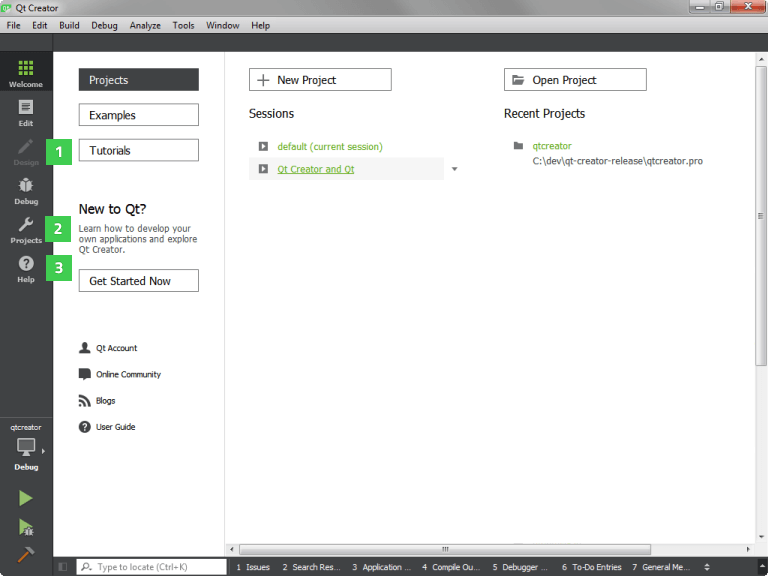
下列 Qt 工具已集成到 Qt Creator 中:
In addition, you can use the tools listed in the following table.
| 工具 | 描述 |
|---|---|
| makeqpf | 為嵌入式設備創建預渲染字體。 |
| MOC (元對象編譯器) | 生成元對象信息為 QObject 子類。 |
| uic (用戶界麵編譯器) | 生成 C++ 代碼從用戶界麵文件。 |
| RCC (資源編譯器) | 在構建過程中將資源嵌入到 Qt 應用程序中。 |
| Qt D-Bus XML 編譯器 (qdbusxml2cpp) | 將 D-Bus 接口描述轉換成 C++ 源代碼的工具。 |
| D-Bus 查看器 | 自省 D-Bus 對象和消息的工具。可從 Qt SDK 或 Qt 5 qttools 存儲庫獲得。 |
| Qt Quick 編譯器 | 使能夠構建 Qt Quick 應用程序的 QML 編譯器,不必將 QML 源代碼部署到目標。 |
| Qt VS Tools | 旨在希望使用 Visual Studio IDE 而非 Qt Creator 開發 Qt 應用程序的開發者。 |
