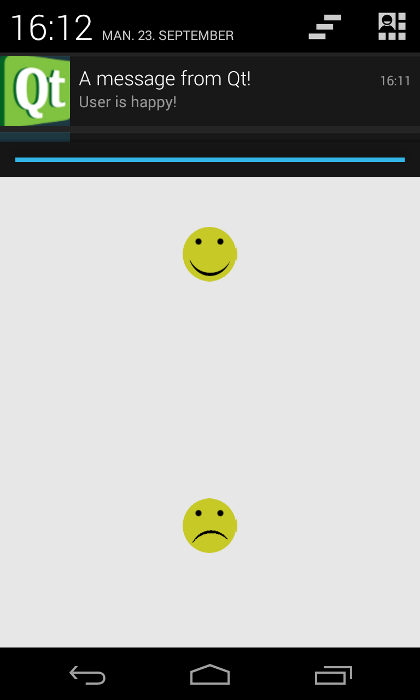
This example demonstrates how to add a custom Java class to an Android application, and how to call into this using the JNI convenience APIs in the Qt Android Extras module. The application UI is created by using Qt Quick.
Click on either of the smiley faces to put a notification in the status area of the Android device.
要運行範例從 Qt Creator ,打開 歡迎 模式,然後選擇範例從 範例 。更多信息,拜訪 構建和運行範例 .
We define a custom Java class called
NotificationClient
in the NotificationClient.java file:
package org.qtproject.example.notification;
import android.app.Notification;
import android.app.NotificationManager;
import android.content.Context;
public class NotificationClient extends org.qtproject.qt5.android.bindings.QtActivity
{
    private static NotificationManager m_notificationManager;
    private static Notification.Builder m_builder;
    private static NotificationClient m_instance;
    public NotificationClient()
    {
        m_instance = this;
    }
    public static void notify(String s)
    {
        if (m_notificationManager == null) {
            m_notificationManager = (NotificationManager)m_instance.getSystemService(Context.NOTIFICATION_SERVICE);
            m_builder = new Notification.Builder(m_instance);
            m_builder.setSmallIcon(R.drawable.icon);
            m_builder.setContentTitle("A message from Qt!");
        }
        m_builder.setContentText(s);
        m_notificationManager.notify(1, m_builder.build());
    }
}
In the NotificationClient C++ class header file, notificationclient.h, we declare a simple C++ API to display notifications on an Android device. It consists of a single string property,
notification
, and a slot,
updateAndroidNotification()
, that calls the Java code:
    Q_PROPERTY(QString notification READ notification WRITE setNotification NOTIFY notificationChanged)
    ...
private slots:
    void updateAndroidNotification();
A NotificationClient object is exposed to the QML in the main source file, main.cpp:
    QQuickView view;
    NotificationClient *notificationClient = new NotificationClient(&view);
    view.engine()->rootContext()->setContextProperty(QLatin1String("notificationClient"),
                                                     notificationClient);
In the NotificationClient C++ class source file, notificationclient.cpp, we import the QtAndroidJniObject class to be able to use its functions:
#include <QtAndroidExtras/QAndroidJniObject>
連接
notificationChanged()
信號到
updateAndroidNotification()
slot to update the notification text when the
notification
property changes:
NotificationClient::NotificationClient(QObject *parent)
    : QObject(parent)
{
    connect(this, SIGNAL(notificationChanged()), this, SLOT(updateAndroidNotification()));
}
The
NotificationClient::updateAndroidNotification()
function calls the Java method. We construct a Java string from the
notification
string property:
void NotificationClient::updateAndroidNotification()
{
    QAndroidJniObject javaNotification = QAndroidJniObject::fromString(m_notification);
And pass the string object as a parameter to the Java
notify()
method. Note that we must supply the signature ourselves:
    QAndroidJniObject::callStaticMethod<void>("org/qtproject/example/notification/NotificationClient",
                                       "notify",
                                       "(Ljava/lang/String;)V",
                                       javaNotification.object<jstring>());
}
文件:
圖像:
另請參閱 Qt for Android and Qt Android Extras .


