A Qt Quick application that uses a compiled state machine to implement a simplified traffic light.
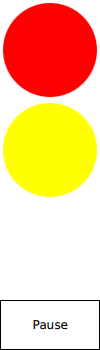
Traffic Light QML Example (Simple) demonstrates how to connect to the active properties of a state in a state machine that is compiled to a class.
UI 是使用 Qt Quick 創建的。
要運行範例從 Qt Creator ,打開 歡迎 模式,然後選擇範例從 範例 。更多信息,拜訪 構建和運行範例 .
We link against the Qt SCXML module by adding the following line to the .pro 文件:
QT += qml scxml
接著,指定要編譯的狀態機:
STATECHARTS = ../trafficlight-common/statemachine.scxml
Qt SCXML 編譯器
qscxmlc
, is run automatically to generate
statemachine.h
and
statemachine.cpp
, and to add them to the
HEADERS
and
SOURCES
variables for compilation.
We instantiate the state machine as follows:
    TrafficLightStateMachine {
        id: stateMachine
        running: true
    }
In the SCXML file, we specify states for each light: red, yellow, and green. In the
<onentry>
element, we specify the event to send when entering the state and the delay in seconds before sending the event. In the
<transition>
element, we specify the event that triggers the transition to the state specified by the
target
屬性:
        <state id="red">
            <onentry>
                <send event="startGoingGreen" delay="3s"/>
            </onentry>
            <transition event="startGoingGreen" target="redGoingGreen"/>
        </state>
        <state id="yellow" initial="greenGoingRed">
            <state id="redGoingGreen">
                <onentry>
                    <send event="goGreen" delay="1s"/>
                </onentry>
                <transition event="goGreen" target="green"/>
            </state>
            <state id="greenGoingRed">
                <onentry>
                    <send event="goRed" delay="1s"/>
                </onentry>
                <transition event="goRed" target="red"/>
            </state>
        </state>
        <state id="green">
            <onentry>
                <send event="startGoingRed" delay="3s"/>
            </onentry>
            <transition event="startGoingRed" target="greenGoingRed"/>
        </state>
We connect to the states as follows:
        Light {
            anchors.top: parent.top
            anchors.horizontalCenter: parent.horizontalCenter
            color: "red"
            visible: stateMachine.red || stateMachine.redGoingGreen
        }
        Light {
            anchors.centerIn: parent
            color: "yellow"
            visible: stateMachine.yellow || stateMachine.blinking
        }
        Light {
            anchors.bottom: parent.bottom
            anchors.horizontalCenter: parent.horizontalCenter
            color: "green"
            visible: stateMachine.green
        }
    }
文件:
