Qt Quick Controls 2 comes with a selection of styles.
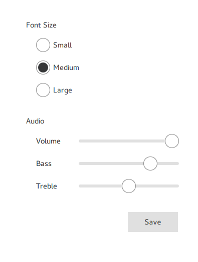
The 默認風格 is a simple and light-weight all-round style that offers the maximum performance for Qt Quick Controls 2.
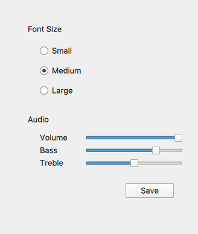
The Fusion 風格 is a platform-agnostic style that offers a desktop-oriented look'n'feel for Qt Quick Controls 2.
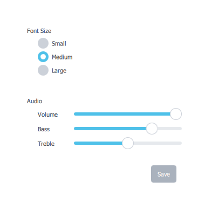
The 想象風格 is based on image assets. The style comes with a default set of images which can easily be changed by providing a directory with images using a predefined naming convention.
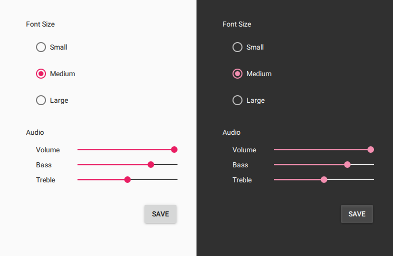
The 材質風格 offers an appealing design based on the Google 材質設計指導方針 , but requires more system resources than the Default style.
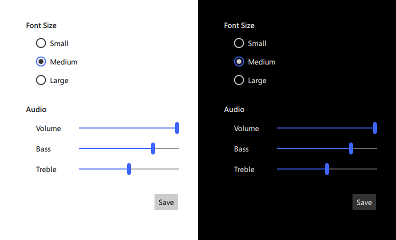
The 通用風格 offers an appealing design based on the 微軟通用設計指導方針 , but requires more system resources than the Default style.
In order to run an application with a specific style, either configure the style using QQuickStyle in C++, pass a command line argument, or set an environment variable. Alternatively, the preferred style and style-specific attributes can be specified in a configuration file.
The priority of these approaches follows the order they are listed below, from highest to lowest. That is, using QQuickStyle to set the style will always take priority over using the command line argument, for example.
QQuickStyle provides C++ API for configuring a specific style. The following example runs a Qt Quick Controls 2 application with the Material style:
QQuickStyle::setStyle("Material");
See the detailed description of QQuickStyle 瞭解更多細節。
傳遞
-style
command line argument is the convenient way to test different styles. It takes precedence over the other methods listed below. The following example runs a Qt Quick Controls 2 application with the Material style:
./app -style material
設置
QT_QUICK_CONTROLS_STYLE
environment variable can be used to set a system-wide style preference. It takes precedence over the configuration file mentioned below. The following example runs a Qt Quick Controls 2 application with the Universal style:
QT_QUICK_CONTROLS_STYLE=universal ./app
見 Supported Environment Variables in Qt Quick Controls 2 for the full list of supported environment variables.
Qt Quick Controls 2 support a special configuration file,
:/qtquickcontrols2.conf
, that is built into an application's resources.
The configuration file can specify the preferred style (may be overridden by either of the methods described earlier) and certain style-specific attributes. The following example specifies that the preferred style is the Material style.
[Controls]
Style=Material
見 Qt Quick Controls 2 Configuration File 瞭解有關配置文件的更多細節。
