A collection of QML Touch Interaction examples.
觸控交互 is a collection of small QML examples relating to touch interaction methods. For more information, visit 重要 Qt Quick 概念 - 用戶輸入 .
要運行範例從 Qt Creator ,打開 歡迎 模式,然後選擇範例從 範例 。更多信息,拜訪 構建和運行範例 .
Multipoint Flames demonstrates distinguishing different fingers in a MultiPointTouchArea , by assigning a different colored flame to each touch point.
The MultipointTouchArea sets up multiple touch points:
    MultiPointTouchArea {
        anchors.fill: parent
        minimumTouchPoints: 1
        maximumTouchPoints: 5
        touchPoints: [
            TouchPoint { id: touch1 },
            TouchPoint { id: touch2 },
            TouchPoint { id: touch11 },
            TouchPoint { id: touch21 },
            TouchPoint { id: touch31 }
        ]
    }
The flames are then simply bound to the coordinates of the touch point, and whether it is currently pressed, as follows:
    ParticleFlame {
        color: "red"
        emitterX: touch1.x
        emitterY: touch1.y
        emitting: touch1.pressed
    }
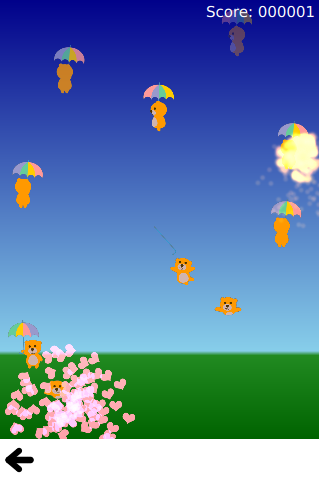
Bear-Whack demonstrates using MultiPointTouchArea to add multiple finger support to a simple game. The interaction with the game is done through a SpriteGoal that follows the TouchPoint . The TouchPoints added to the MultiPointTouchArea are a component with the relevant logic embedded into it:
TouchPoint {
    id: container
    property ParticleSystem system
    onPressedChanged: {
        if (pressed) {
            timer.restart();
            child.enabled = true;
            system.explode(x,y);
        }
    }
    property QtObject obj: Timer {
        id: timer
        interval: 100
        running: false
        repeat: false
        onTriggered: child.enabled = false
    }
    property Item child: SpriteGoal {
        enabled: false
        x: container.area.x - 16
        y: container.area.y - 16
        width: container.area.width + 32
        height: container.area.height + 32 //+32 so it doesn't have to hit the exact center
        system: container.system
        parent: container.system
        goalState: "falling"
    }
}
Flick Resize 使用 PinchArea to implement a pinch-to-resize behavior. This is easily achieved by listening to the PinchArea signals and responding to user input.
onPinchStarted: {
    initialWidth = flick.contentWidth
    initialHeight = flick.contentHeight
}
onPinchUpdated: {
    // adjust content pos due to drag
    flick.contentX += pinch.previousCenter.x - pinch.center.x
    flick.contentY += pinch.previousCenter.y - pinch.center.y
    // resize content
    flick.resizeContent(initialWidth * pinch.scale, initialHeight * pinch.scale, pinch.center)
}
onPinchFinished: {
    // Move its content within bounds.
    flick.returnToBounds()
}
Flickable is a simple example demonstrating the Flickable 類型。
Rectangle {
width: 320
height: 480
Flickable {
    anchors.fill: parent
    contentWidth: 1200
    contentHeight: 1200
    Rectangle {
        width: 1000
        height: 1000
軟木闆 shows another use for Flickable , with QML types within the flickable object that respond to mouse and keyboard interaction. This behavior does not require special code as the Qt Quick types already cooperate with the Flickable type for accepting touch events.
文件:
圖像:



