Preparing BSP for i.MX6 Quad Board
With MULTI Launcher, you can prepare the board support package (BSP) for i.MX6 Quad board:
-
Start MULTI Launcher.
-
Start Project Manager by selecting
組件
>
Open Project Manager
.
-
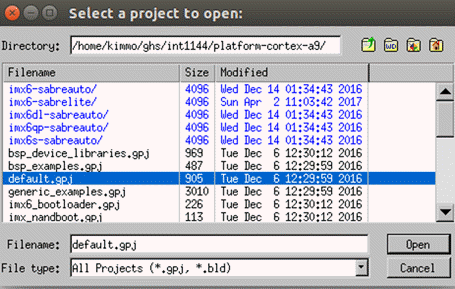
In your INTEGRITY installation, select the project file
default.gpj
under the
platform-cortex-a9
文件夾:
-
選擇
打開
.
In the MULTI Project Manager view, you see a tree structure of the opened project.
Clean
default.gpj
and build the projects:
-
選擇
構建
>
Clean default.gpj
.
-
Select the files
system_libs.gpj
,
bsp_libs.gpj
,和
kernel.gpj
one by one, and select
構建
>
Build Project <file name>
for each selected file.
Preparation for the board support package is now done.
